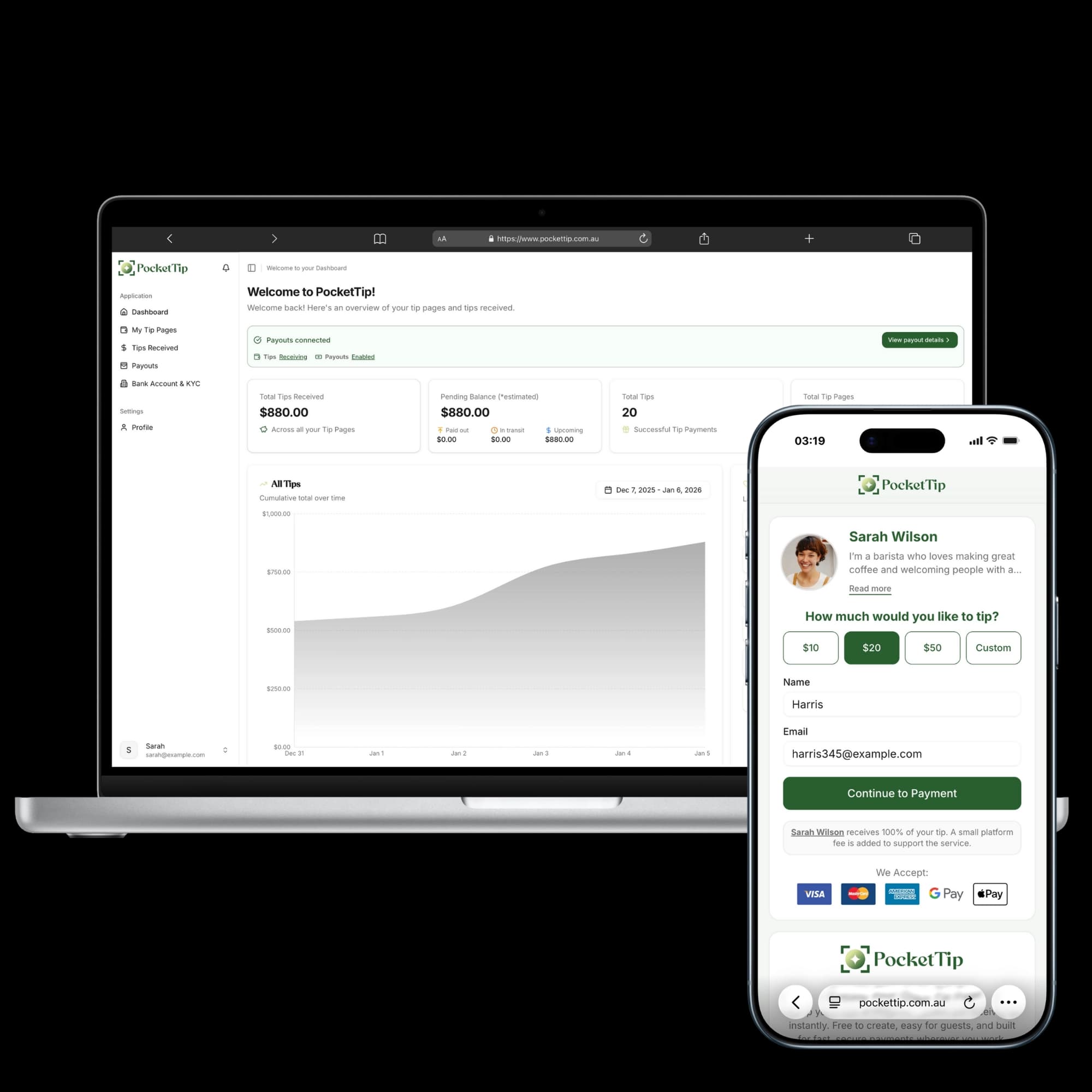
How PocketTip Works
PocketTip helps you accept cashless tips in seconds using a simple QR code. Customers tip with card, Apple Pay or Google Pay, and you always receive 100% of the tip amount.
Three simple steps
Create your tip page, share your QR code, and start receiving tips in minutes.
1. Create your tip page
Set up a personal tip page with your name, photo, and message so customers know exactly who they’re tipping.
2. Share your QR code
Place your QR code at the counter, on tables, on receipts, or share your link online so customers can tip instantly.
3. Receive tips instantly
Customers tip using card, Apple Pay, or Google Pay. You receive 100% of the tip amount with clear, transparent checkout.
A quick guide to getting started
Everything you need to know to create, share, and manage your PocketTip tip page.
Create your account
Create your PocketTip account in just a few minutes. All you need is:
- Your name and email address
- A secure password
- Basic payout details when you’re ready
Creating an account is always free. There are no subscriptions, no setup fees, and no cost unless someone chooses to tip you.
Set up your tip page
Personalise your tip page so customers feel confident tipping you:
- Add your name, photo, and a short thank-you message
- Choose a clean layout built for fast tipping
- Optional suggested tip amounts (helpful for quick decisions)
- Mobile-first design that works instantly
No design experience needed most tip pages are ready in under two minutes.
Share with customers
Share your tip page wherever customers naturally pause:
- Display your QR code at the counter or POS
- Add it to receipts, table tents, or signage
- Share your link on social media or profiles
- Download high-quality QR codes ready for print
Your page is mobile-friendly customers can tip instantly with no app downloads.
Receive tips securely
Customers can leave a tip quickly and securely:
- Secure checkout using card, Apple Pay, or Google Pay
- Optional messages included with each tip
- Instant confirmation after payment
- A clear dashboard to track tips over time
Payments are protected with bank-grade security and monitored for fraud.
Get paid to your bank
Accessing your money is straightforward:
- Set up payout details securely
- View your tip and payout history in your dashboard
- No minimum payout thresholds
You always receive 100% of the tip amount. Any applicable fees are paid by the tip giver and shown clearly before they confirm payment.
Transparent pricing
Pricing is designed to be simple and fair:
- Creating an account and tip page is always free
- Any applicable fees are paid by the tip giver and shown before payment
- You always receive 100% of the tip amount
No hidden fees, no subscriptions, and no surprises.
Frequently Asked Questions
Everything you need to know about PocketTip.
About Cashless Tipping
Understanding digital tipping in Australia
What is cashless tipping in Australia?
How does QR code tipping work in Australia?
Is this the same as a digital tip jar?
Why do Australian workers need digital tipping?
What types of workers use cashless tipping?
Getting Started
Everything you need to begin accepting tips
How do I create a tip page?
Do I need a Stripe account?
How long does setup take?
Is there a mobile app?
Can I customise my tip page?
For Customers
How tipping works for your customers
How do I tip someone?
Are there fees for tipping?
Can I tip anonymously?
What payment methods can I use?
Is tipping safe and secure?
Pricing & Fees
Transparent pricing with no hidden costs
How much does it cost to use PocketTip?
What fees do I pay?
How much is the service fee?
Are there any hidden costs?
Do I need to pay for a subscription?
Payouts & Money
How you receive your tips
How do I get paid?
How often do I get paid?
Is there a minimum payout amount?
What bank accounts are supported?
How long until I receive my first payout?
Security & Trust
Safe and secure platform
Is PocketTip safe to use?
Who can see my tip page?
What information do you collect?
Can I delete my tip page?
What if I have a problem with a payment?
Using Your QR Code
Display and share your tip page